Billing Software Security: How Elite Billing Protects Accounts and Data
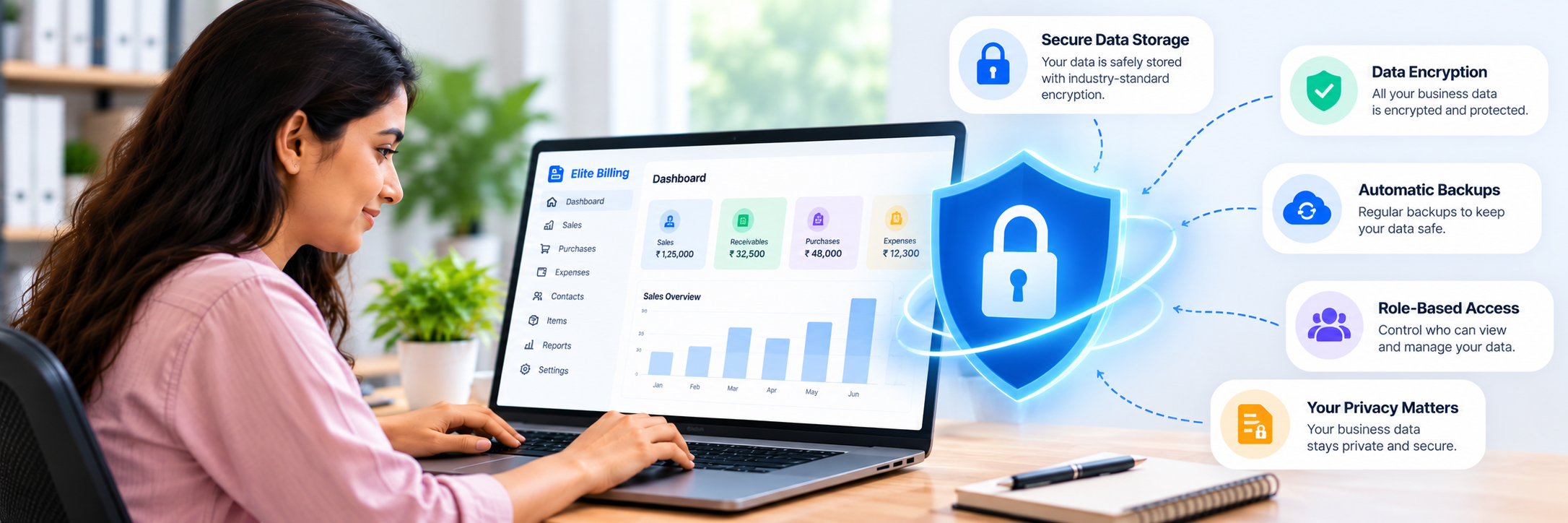
Elite Billing protects billing accounts with encrypted password storage, login protection, active-session controls, employee permissions, daily backups and operational audit tracking. These safeguards help small businesses control access to invoices, customers, suppliers, products and reports from one billing workspace.
Security is not only about the login screen. A secure billing system should help you see where an account is signed in, limit sensitive employee actions, track business activity, protect against repeated login attempts and maintain backups. This guide explains what Elite Billing provides and what business owners should do to keep their own accounts safe.
Run Your Business with More Control
Use billing, permissions and account-security tools in one workspace.
What to look for in billing software security
Billing software stores information that businesses need to protect: customer contact details, supplier records, invoices, payment status, product prices, stock information and employee activity. Before choosing a platform, check whether it provides practical controls rather than only a general promise of security.
- Account protection: passwords and sign-in attempts should be handled safely.
- Session visibility: you should be able to recognize and close sessions you no longer trust.
- Access control: employees should not automatically receive every business-management action.
- Traceability: records and operational history should help you investigate changes or discrepancies.
- Backups: regular backups should support recovery if a service issue or data problem occurs.
1. Password storage and account protection
Elite Billing stores customer passwords in encrypted form. This helps protect account credentials if stored password data is ever exposed, but account security still depends on choosing a strong password and not reusing it on another service.
Business owners and employees should each use their own account where available. Avoid sharing one password between staff members because individual accounts make access easier to review and allow permissions to match each person’s responsibilities.
If you believe someone else knows a password, change it from Change Password, sign in again with the new password and review the active sessions connected to the account.
2. Protection against repeated failed logins
Elite Billing applies a short login cooldown after repeated failed attempts. After five failed login attempts within the failure window, the login attempt is temporarily limited for 30 seconds. This slows repeated password guessing while still allowing a legitimate user to try again shortly.
A cooldown is one layer of protection, not a replacement for a strong password. If a user is repeatedly unable to sign in, confirm the phone number and password carefully instead of continuing to make guesses.
3. Review active sessions, devices and IP addresses
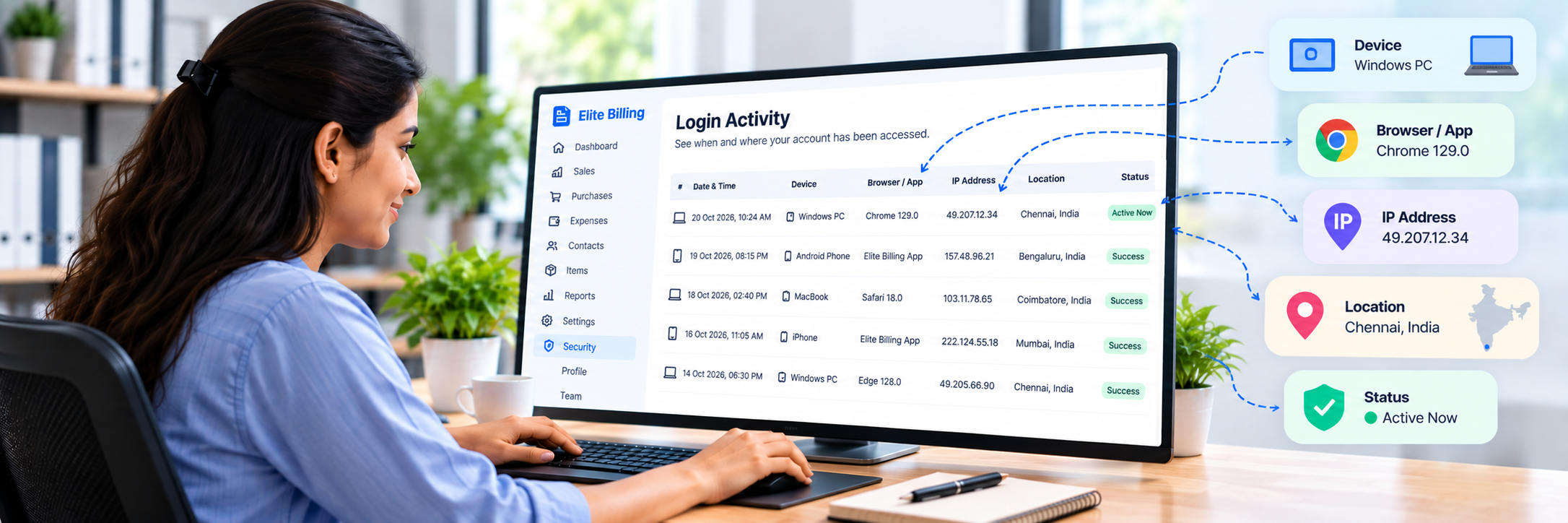
The Active Sessions page helps you understand where the account is currently signed in. It can show the current or signed-in device, browser information, IP address, last-used time, sign-in time and expiration details.
Use this page regularly when several people access the business account, after using a shared computer, or whenever a session looks unfamiliar. You can sign out an individual other session or select Sign Out Other Devices to close the other sessions while keeping the current device active.
Session information is a useful security clue, but an IP address is not a perfect location indicator. Mobile networks, office networks and VPNs can change the address shown.
What to do if a device is lost
- Sign in from another trusted device.
- Open Active Sessions from the account security settings.
- Review the listed devices and recent activity.
- Use Sign Out beside the lost or unfamiliar device, or choose Sign Out Other Devices.
- Open Change Password and update the password if the lost device may have saved or exposed it.
After changing the password, sign in again with the new credentials. Keep the new password private and avoid saving it on a shared computer.
4. Employee permissions reduce unnecessary access
Multi-user billing works best when employees can complete their daily work without receiving every management control. Elite Billing provides separate Business Owner and Employee access, with permissions that vary by module and action.
Depending on the module, employees may be able to view records, create invoices or expenses and handle day-to-day work, while more sensitive actions are restricted. Examples include editing or deleting important records, adjusting stock, changing shared business settings, managing employee access and opening broader management reports.
Review the current Employee Permissions guide before assigning work. It explains which actions are available for Employees and the Business Owner across billing, products, inventory, service, reports and settings.
5. Last login visibility helps owners review access
Employee management includes a Last Login value for team accounts. This gives the business owner a simple way to see when an employee last accessed the workspace and identify accounts that may no longer be in use.
Last login information should support a regular access review. When a team member leaves the business or no longer needs access, remove or disable access according to the account-management workflow and review any remaining active sessions.
6. Audit logs and operational activity tracking
Elite Billing documents audit logs as an operational safeguard that helps track activity in the service. Record history and detailed business registers can also support investigation and reconciliation, such as reviewing product changes, invoice records or report details.
The practical goal is accountability: when a number looks incorrect or a record needs review, the business should have useful history instead of relying only on memory or a shared login. Use individual staff accounts and the available record history together for better traceability.
Audit tracking is not a promise that every possible event is visible in one universal screen. For the precise scope of security safeguards, read the Elite Billing Security Policy.
7. Daily backups support recovery
Elite Billing maintains daily backups to support recovery of business data. Backups are important for billing records because a business may need to continue after an unexpected service issue, data problem or operational mistake.
Backups are an operational safeguard, not a guarantee that every risk or interruption can be prevented. Businesses should also protect their account credentials, keep devices updated, avoid shared passwords and contact support if they notice a security concern.
Security is a shared responsibility
Elite Billing maintains safeguards for the service, while each business controls its own staff access, passwords, devices and stored information. Good account practices include:
- Use a unique password for Elite Billing.
- Give each staff member their own account instead of sharing credentials.
- Review permissions when someone changes responsibilities.
- Sign out on shared or public devices.
- Review Active Sessions after changing devices.
- Remove access when an employee leaves the business.
- Report suspicious activity or security concerns promptly.
Is Elite Billing security included in the free plan?
Elite Billing’s free plan includes the core billing feature set and supports up to five employee accounts. The documented account safeguards and access controls are designed to support everyday business use. Paid options are available for businesses that need live support or a larger employee limit.
Security is not a reason to delay moving away from shared spreadsheets or paper records. Using individual accounts, permissions and active-session review can give a small business clearer control over its billing workspace.
Frequently asked questions
Is Elite Billing secure for small businesses?
Elite Billing uses encrypted password storage, login protection, active-session controls, employee permissions, daily backups and operational audit tracking. No online service can promise absolute security, so businesses should also protect passwords and devices.
What happens after several failed login attempts?
After five failed login attempts within the failure window, Elite Billing applies a 30-second cooldown for that phone-based login attempt.
Can I see which devices are signed in?
Yes. Open Active Sessions to review signed-in devices, browser information, IP address, last-used time, sign-in time and expiration details.
What should I do if I lose my phone or computer?
Sign in from another trusted device, open Active Sessions and sign out the lost session or choose Sign Out Other Devices. Change the password if it may have been exposed.
Can employees edit or delete sensitive billing records?
Access varies by module and action. Many sensitive management controls are restricted from Employees. Review the Employee Permissions guide for the current access table.
Does Elite Billing back up business data?
Yes. Elite Billing maintains daily backups to support recovery. Backups help reduce risk but cannot prevent every interruption or security event.
Can I use Elite Billing on multiple devices?
Yes. Elite Billing supports active sessions across devices. Review the Active Sessions page and sign out sessions you no longer trust or use.
Does Elite Billing have an activity log?
Elite Billing documents audit logs for operational activity tracking and provides history across relevant business records. The exact history available depends on the module, so review the Security Policy and the relevant feature documentation.
Conclusion
Good billing software security combines account protection, session visibility, permission controls, operational history and backups. Elite Billing brings these safeguards together for small businesses that need to protect invoices, customers, suppliers, products and employee access without adding unnecessary complexity.