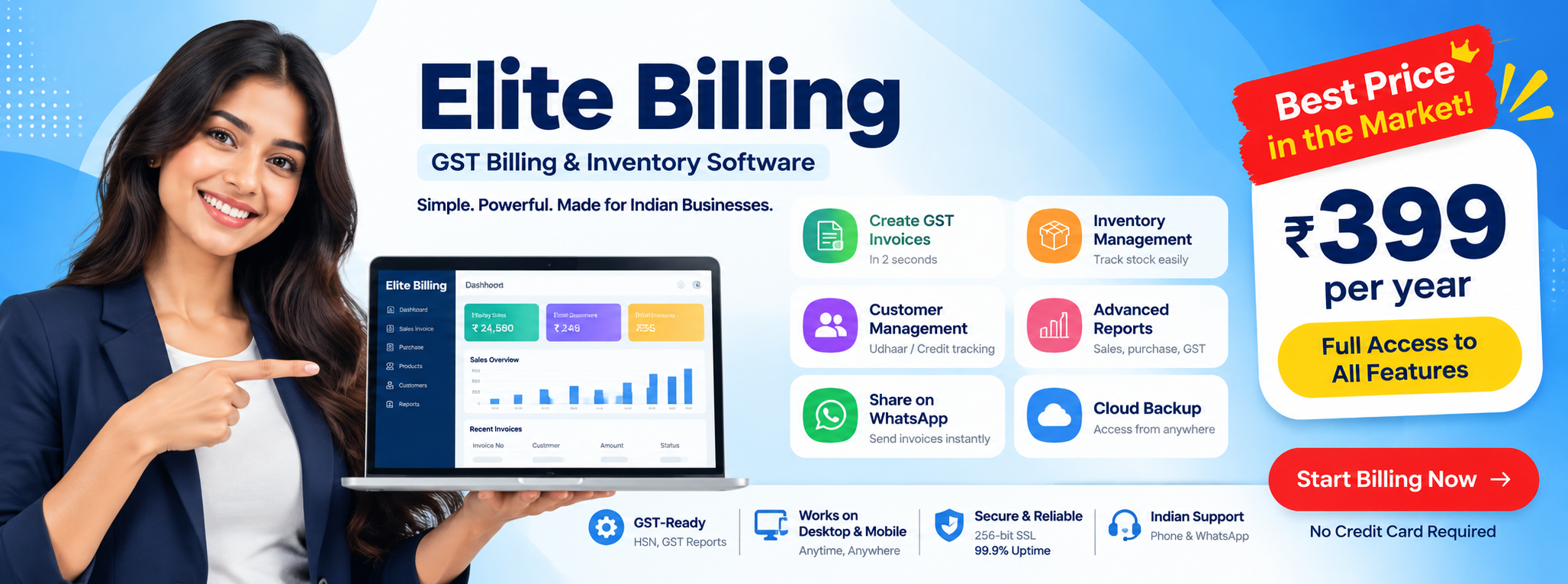
Billing Software in Tamil Nadu for Shops and Small Businesses
For businesses in Chennai, Coimbatore, Madurai, Salem, Trichy, Tiruppur, Erode, Vellore, Thanjavur, and across Tamil Nadu
If you are evaluating billing software in Tamil Nadu, do not choose based on price or marketing alone. The right platform should help you issue GST invoices quickly, track stock accurately, handle quotations and purchases cleanly, and support the way your staff actually works during real counter traffic.
Try Elite Billing — Just ₹399 Per Year
Affordable billing software for growing businesses.
For many small businesses in Tamil Nadu, the real challenge is not just bill printing. It is keeping billing, inventory, supplier entries, and reporting connected without depending on spreadsheets, duplicate data entry, or one local computer in the shop.
This guide explains what to look for in a modern billing platform, where many businesses make mistakes while choosing software, what to verify in a demo before switching, and why Elite Billing is a strong fit for shops, traders, and service businesses in Tamil Nadu.
What strong billing software should solve
GST-ready invoices, stock control, Tamil invoice support, cloud access, role-based access, and practical onboarding.
A good system should reduce billing mistakes, improve counter speed, and give owners cleaner visibility into sales, stock, and daily staff activity.
Start With Elite Billing See Live DemoHow a modern billing workflow should work
- Set up the business: Add GST details, products, customers, suppliers, and invoice preferences.
- Run daily billing: Create invoices, quotations, purchase entries, and returns without duplicate manual work.
- Track stock automatically: Keep inventory tied to sales and purchases so owners can trust the numbers.
- Review reports: Check sales, tax summaries, stock movement, and staff activity from one dashboard.
- Get support when needed: Fast onboarding and issue resolution matters as much as features.
Who should care about billing software in Tamil Nadu?
- Retail shops
- Wholesale traders
- Service centers and repair shops
- Distributors and agencies
- Mobile, electronics, and hardware counters
- Garment and textile stores
- Supermarkets and provision stores
- Small GST-registered businesses that need billing plus inventory
See the workflow before you switch
A live demo helps owners and staff verify invoice flow, stock updates, reporting, and onboarding before migration.
Upgrade daily billing without adding operational complexity
Use one system for GST billing, inventory, quotations, purchase invoices, and service follow-up instead of splitting the workflow across multiple tools.
Try Elite Billing See Live DemoGST Ready · Inventory Management · Cloud Access · Local Support
How to evaluate billing software in Tamil Nadu
Small businesses usually outgrow manual billing for the same reasons: invoice mistakes, weak stock control, missing purchase visibility, and no easy way to review data outside the shop. The best billing software is the one that removes those bottlenecks consistently without making the staff slower.
1. GST invoicing should be fast and repeatable
Every bill should be created in seconds with correct tax breakup, product details, and customer information. Software should help staff reuse product masters and pricing instead of typing the same details repeatedly during rush hours.
2. Billing and inventory should stay connected
If the invoice is generated in one tool and stock is tracked in another, the business loses visibility. A reliable setup updates inventory with each sale, purchase entry, return, or adjustment so owners can make reorder decisions with confidence. If inventory is the main bottleneck, compare billing software with stock management before shortlisting a broader billing system.
3. Reports should support business decisions
Owners need more than printed bills. Supplier records, purchase history, sales summaries, low-stock alerts, and product-level performance all matter when deciding what to buy, what to stop stocking, and how the business is performing branch by branch.
For example, shops with deeper inventory requirements such as plumbing, paint, fittings, and mixed-item retail can review this dedicated guide to billing software for hardware stores alongside the broader Tamil Nadu buying checklist.
Fashion retailers managing sizes, colours, and seasonal product movement can also compare billing software for boutique stores. For practical stock-control routines, see these inventory management tips for retailers.
4. Access should not depend on one desktop
Many Tamil Nadu businesses now expect browser access from the counter, office, laptop, or mobile phone. Cloud access reduces dependency on a single local system and helps owners review activity without being physically present in the shop all day. Businesses comparing browser-based workflows can also review online billing software for shop management and mobile billing app options for business.
5. Migration and support are part of product quality
Even strong software fails if setup is messy. Product masters, customer lists, suppliers, and stock should move from old software through clear import workflows. Support matters most during the first few weeks when the staff is still learning the system. If your current setup still depends on notebooks, Excel, or paper bills, use this manual invoicing to automated billing migration guide before going live.
What to verify during a live demo
A billing software demo should prove workflow fit, not just show a polished dashboard. Before shortlisting any option, ask the vendor to walk through the exact steps your staff will perform every day.
- Create a GST invoice from a real product list, not a dummy example.
- Show how stock changes after sale, purchase entry, return, and manual adjustment.
- Convert a quotation into an invoice without re-entering customer or product data.
- Review owner-level reports for daily sales, tax summary, and low-stock items.
- Show how staff permissions work for billing users versus admin users.
- Explain how existing product, customer, and supplier data will be imported.
Common mistakes businesses make while choosing billing software
Many businesses do not choose the wrong software because the demo looked bad. They choose the wrong software because they evaluate only one part of the workflow. In Tamil Nadu retail and trading businesses, these mistakes are common:
- Choosing only on low price: cheap software becomes expensive if billing, stock, and support are unreliable.
- Ignoring stock workflow: many businesses focus on invoice design and forget purchase entries, low-stock visibility, and reorder accuracy.
- Skipping staff usability: owners may like a system during the demo, but counter staff still struggle during real billing hours.
- Underestimating migration effort: product data, customer masters, and supplier records often need cleanup before import.
- Not checking support quality: software quality includes onboarding speed, response quality, and how quickly problems are resolved after go-live.
Businesses that want a low-cost starting point can compare free billing software in Tamil Nadu or affordable billing software options in India, but the final choice should still be based on workflow fit.
Which businesses in Tamil Nadu need which features most?
| Business Type | Priority Features | Related Guide |
|---|---|---|
| Mobile and accessories shops | Fast billing, accessory stock, quotations, device or service workflow | Mobile shop billing software |
| Laptop and computer retailers | Configuration tracking, accessories, quotation flow, service intake | Laptop shop billing software |
| Retail stores with heavy stock movement | Inventory control, purchase entries, low-stock alerts, valuation visibility | Stock-management billing software |
| Multi-counter or staff-based shops | Role-based access, activity tracking, multi-user control | Multi-user billing software |
| Owners who need access outside the shop | Cloud login, remote reporting, browser-based billing | Online billing software |
This is one reason broad searches like billing software in Tamil Nadu often split into narrower intent after comparison. The best page for one business type is not always the best page for another.
Tamil language support and local onboarding
Language support matters when billing staff, back-office users, and customers are more comfortable in Tamil than English. In many shops, software adoption fails not because features are missing, but because the team cannot use the system confidently during live transactions.
Elite Billing supports Tamil-friendly invoice workflows and local onboarding from Tamil Nadu. That reduces training friction for mixed teams and makes it easier to roll out the software across billing, inventory, and customer communication.
How businesses search for billing software in Tamil Nadu
Many buyers do not search with only one phrase. They often use terms like GST billing software Tamil Nadu, billing software Chennai, shop billing software Coimbatore, inventory billing software Madurai, cloud billing software Salem, or Tamil billing software for shops.
This page is designed to answer the broader Tamil Nadu buying intent, while the more specific pages in this section target vertical searches like mobile shops, laptop shops, and stock-management workflows.
If your search is more specific, you may want to compare billing software for mobile shops, billing software for laptop shops, or billing software with stock management before deciding which workflow fits your business best.
Elite Billing for small businesses in Tamil Nadu
Elite Billing gives small businesses a cloud-based workspace for billing and business management. Instead of juggling separate tools for invoicing, stock, quotations, and purchase entries, you can manage the main workflow in one place.
For Tamil Nadu businesses comparing multiple products, the practical difference is not just feature count. It is whether the software helps the owner bill faster, trust the stock numbers, review the business remotely, and get support during onboarding when issues appear.
GST billing, product catalog, and quotations
Create GST invoices, maintain product lists with HSN or SAC details, and prepare quotations before converting them into bills. That is useful for shops where customers often ask for pricing before confirming a purchase.
Security, access, and operational control
- Secure cloud access: Sales, customer, and business data stay available in one online workspace.
- Role-based access: Give billing access to staff while keeping sensitive controls limited to owners or managers.
- Reliable record keeping: Invoices, products, customer details, and reports stay organized in one system.
Access from mobile, tablet, and desktop
Check billing activity, stock position, purchases, and reports from your browser on mobile, tablet, or desktop. That is especially useful for owners who manage shops remotely or monitor multiple staff members and counters.
Elite Billing also supports customer records, supplier management, purchase invoices, service job cards, and reporting views. That makes it suitable for retail, wholesale, and service businesses that want sales and stock in one operational system.
Elite Billing vs. traditional billing software
Many small businesses still use older desktop programs or spreadsheet-based processes. Those systems may feel familiar, but they usually create extra work when you need stock accuracy, GST summaries, purchase tracking, multi-device access, or cleaner handover between owner and staff.
| Feature | Traditional Setup | Elite Billing |
|---|---|---|
| Pricing Model | Often license-based or renewal-based | Free plan available, with paid upgrades from ₹399/year |
| GST Billing | Usually available, but workflow varies | Built for daily GST invoicing |
| Cloud Access | Often limited or requires setup | Included |
| Billing + Inventory | May require separate steps or tools | Handled in one system |
| Support and Onboarding | Varies by vendor | Local support from Tamil Nadu |
Must-have features for billing software in 2026
1. Quotations that convert into invoices
Many sales begin with a price inquiry. The software should let you create quotations, store customer details, and convert approved quotes into bills without re-entering data.
2. Stock control for products and service items
Real-time stock updates reduce confusion between what is displayed, what is sold, and what is still available. This matters in fast-moving retail and in service businesses that use spare parts.
3. Purchase entries and supplier records
Purchase workflows are essential if you want proper margin visibility. The software should help you record inward stock, compare buying cost with selling price, and review supplier history when reordering.
4. Service job cards where needed
If your business handles repairs or service intake, job card support is valuable. It helps staff capture item details, issue notes, parts used, and service cost inside the same system.
5. Clear access for owners and staff
The system should support daily billing for staff without exposing every setting or business control. Separate access levels matter when multiple people use the software across billing, stock updates, and reporting.
What to prepare before switching billing software
Businesses usually get better results from a software change when they prepare basic data and workflow decisions before onboarding starts. A simple preparation checklist reduces confusion during implementation:
- Clean product names, pricing, tax rates, and stock units before import.
- Prepare customer and supplier lists in a consistent format.
- Decide which staff members need billing access and which need owner-level controls.
- List the must-have invoice, quotation, purchase, and stock reports for the business.
- Choose a realistic go-live date instead of switching during the busiest sales day.
Businesses that still rely on paper bills, Excel, or mixed old software can review this migration guide and the GST compliance software checklist before finalizing the move.
Frequently Asked Questions
Is Elite Billing suitable for small businesses in Tamil Nadu?
Yes. It is designed for small businesses that need GST billing, inventory management, quotations, purchase entries, customer records, and reporting in one system.
Does Elite Billing support Tamil invoice workflows?
Yes. Businesses that need Tamil-friendly invoice and support workflows can use Elite Billing for day-to-day operations and onboarding.
Can I migrate from Tally or other billing software?
Yes. Product masters, customer records, and related business data can be migrated through structured import workflows, depending on the quality of your current data.
Is there a free option?
Yes. Elite Billing offers a free plan, and businesses can move to paid plans if they need additional features or scale.
Can I access the software from mobile or laptop?
Yes. Elite Billing is cloud-based, so you can access billing and business data through a browser on supported devices.
Can I request a live demo in Tamil or English?
Yes. You can request a live demo in Tamil or English to review billing flow, stock updates, reports, and migration steps.
Conclusion: choosing the right billing software in Tamil Nadu
If you are searching for billing software in Tamil Nadu, focus on what improves day-to-day operations: GST billing, inventory management, quotations, purchase entries, role-based access, reporting, and the ease with which your staff can use the system under pressure. Those are the factors that matter after the demo call is over.
Elite Billing is a strong fit when you want one connected system for billing, stock, and follow-up, plus Tamil-friendly workflows and local support. If the product matches your shop size and process, it can replace manual billing or fragmented software with a cleaner operating setup.
Want to check whether Elite Billing fits your workflow?
Book a live demo or create an account.