QuickBooks Alternative in India: Is Elite Billing Right for Your Business?
If you are searching for a QuickBooks alternative in India, the first thing to know is that Intuit retired QuickBooks products for the Indian market. Elite Billing is worth evaluating if you need GST invoicing, stock, purchases and day-to-day business records in one system, with unlimited use in its free Plan 1. It is a billing and operations platform, so businesses that depend on full accounting ledgers, bank feeds or advanced finance workflows should verify those needs before switching.
This guide explains what made QuickBooks useful, what its India exit means today, and where Elite Billing may fit. We compare workflows rather than treating the products as identical or quoting prices for other software.
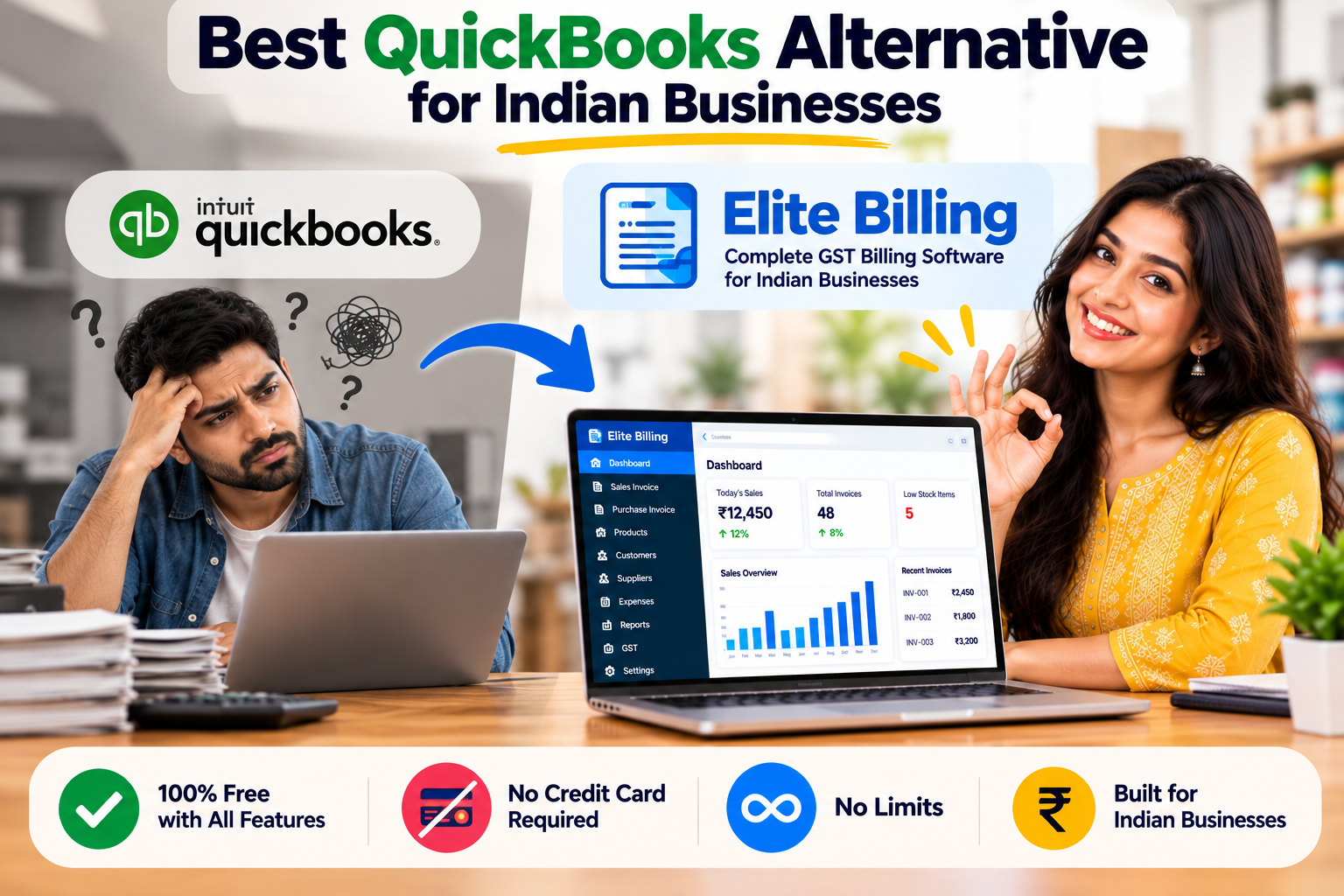
Try Elite Billing for GST billing and stock
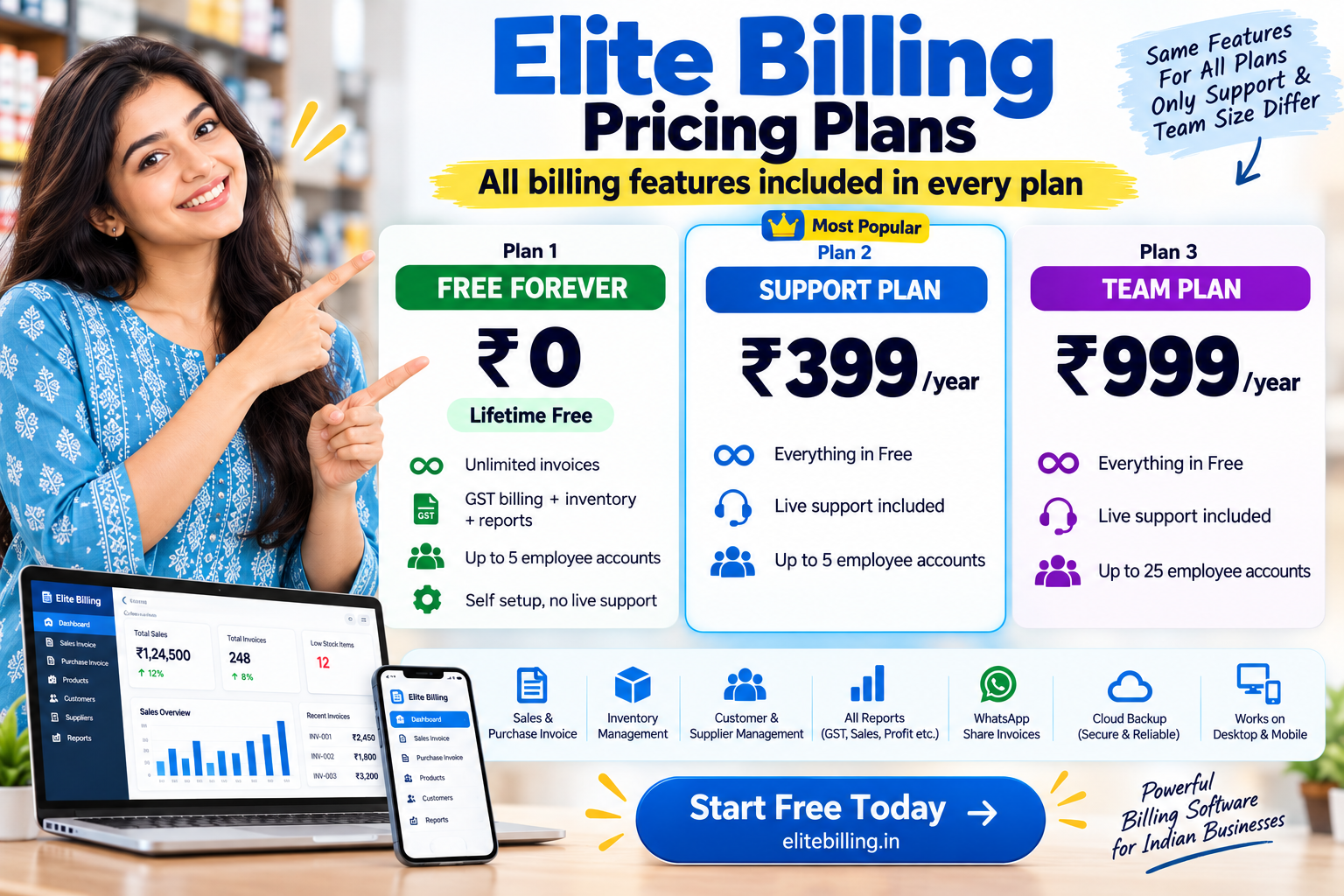
Plan 1 is lifetime free and includes the complete feature set with unlimited usage, including invoices. It supports up to five employee accounts. Plans 2 and 3 add live support; Plan 3 supports up to 25 employee accounts.
Start Using Elite Billing for Free Review Elite Billing plansQuick answer: which QuickBooks alternative makes sense in India?
QuickBooks Online for India is no longer available. If your main requirement is to keep issuing GST invoices, managing stock, recording purchases and tracking customer or supplier balances, Elite Billing may be a practical option to evaluate. Plan 1 has no software fee and no usage or invoice limit, with a five-employee-account cap.
If your team used QuickBooks mainly as a full accounting system—with workflows such as connected bank feeds, ledger-based bookkeeping, advanced reconciliations or accountant collaboration—do not assume a billing product will replace every task. Write down the reports and processes your finance team relies on, then test them in a demo before moving. Our billing software selection guide can help turn those requirements into a checklist.
Why Indian businesses are looking for a QuickBooks alternative
Intuit ended new sign-ups for QuickBooks in India in July 2022. It states that access to its India QuickBooks products ended in 2023, including QuickBooks Online, QuickBooks Online Accountant, the mobile app and QuickBooks Time. That means the old India edition is not a current option for a business choosing software today.
QuickBooks remains a product family in other markets. Those editions are region-specific: their features, support, tax tools, integrations and subscription terms can differ. A product page for another country is not proof that the same setup covers Indian GST or local business requirements. Confirm the country edition and compliance workflow before subscribing to any overseas product.
What QuickBooks did well—and what changed
QuickBooks’ wider product line is known for bringing accounting and business records together. Depending on the regional edition and plan, its tools can include invoicing and estimates, income and expense tracking, bank feeds, accountant access, inventory and financial reports. This broader accounting focus can suit businesses that want bookkeeping and invoicing connected in one cloud workspace.
The important limitation for an Indian buyer is availability of the India product. The India-specific service has been retired, so a new buyer cannot select it as a supported local edition. A different regional edition may have a different tax setup, bank connections, support and feature bundle. Before choosing it, check that the version offered to you supports your Indian entity and the exact workflows your accountant needs.
QuickBooks and Elite Billing: a practical comparison
| Area | QuickBooks | Elite Billing |
|---|---|---|
| Availability in India | The India-specific QuickBooks products have been retired. Other regional products have their own availability and terms. | Built for Indian shops, traders, wholesalers and service businesses. |
| Primary focus | Cloud accounting and bookkeeping, with invoicing, expenses, banking and reports depending on the regional edition. | GST billing and everyday operations: stock, purchases, expenses, customers, suppliers, quotations and reports. |
| India GST workflow | Do not assume another country edition includes the same India-specific tax setup. Confirm the exact configuration before subscribing. | Includes GST invoice workflows, tax summaries and HSN/SAC reporting tools. |
| Inventory and shop operations | Inventory functions depend on product and plan. Regional offerings may differ. | Tracks products, stock movement, purchases, low-stock items and sales reports. |
| Pricing model | QuickBooks products in active markets use regional subscription plans; features and terms vary by country. | Plan 1 is lifetime free. Paid plans add live support and, in Plan 3, a larger employee-account limit. |
| Best fit to investigate | Teams needing accounting-led workflows should check that a currently available regional edition supports their exact Indian requirements. | Businesses focused on GST billing, inventory and daily shop or service operations that want unlimited usage in Plan 1. |
Where Elite Billing can be a good fit
Elite Billing is designed around operational work that happens every day in an Indian small business. A shop can create GST invoices, update stock as it bills, record purchases and expenses, track outstanding balances, and review sales or product reports in one workspace. Service teams can also use quotations and job cards for repair or service work.
- Retail and trading: keep product records, stock quantities, purchase entries and sales together. See our guide to billing software with stock management.
- GST billing: create invoices and review GST summaries and HSN/SAC reports. See the overview of GST features in billing software.
- Small teams: add staff accounts for day-to-day operations, with role-based access and owner controls.
- Businesses avoiding a recurring software bill: use Plan 1 at no charge, with the full feature set and unlimited usage.
Plan 1 supports up to five employee accounts and does not include live support. Plan 2 has the same features and five-account limit, with live support added. Plan 3 keeps the same feature set, adds live support and allows up to 25 employee accounts. The distinction is support and team capacity; the feature set and invoice usage are not cut down in Plan 1.
See the product workflow before you switch
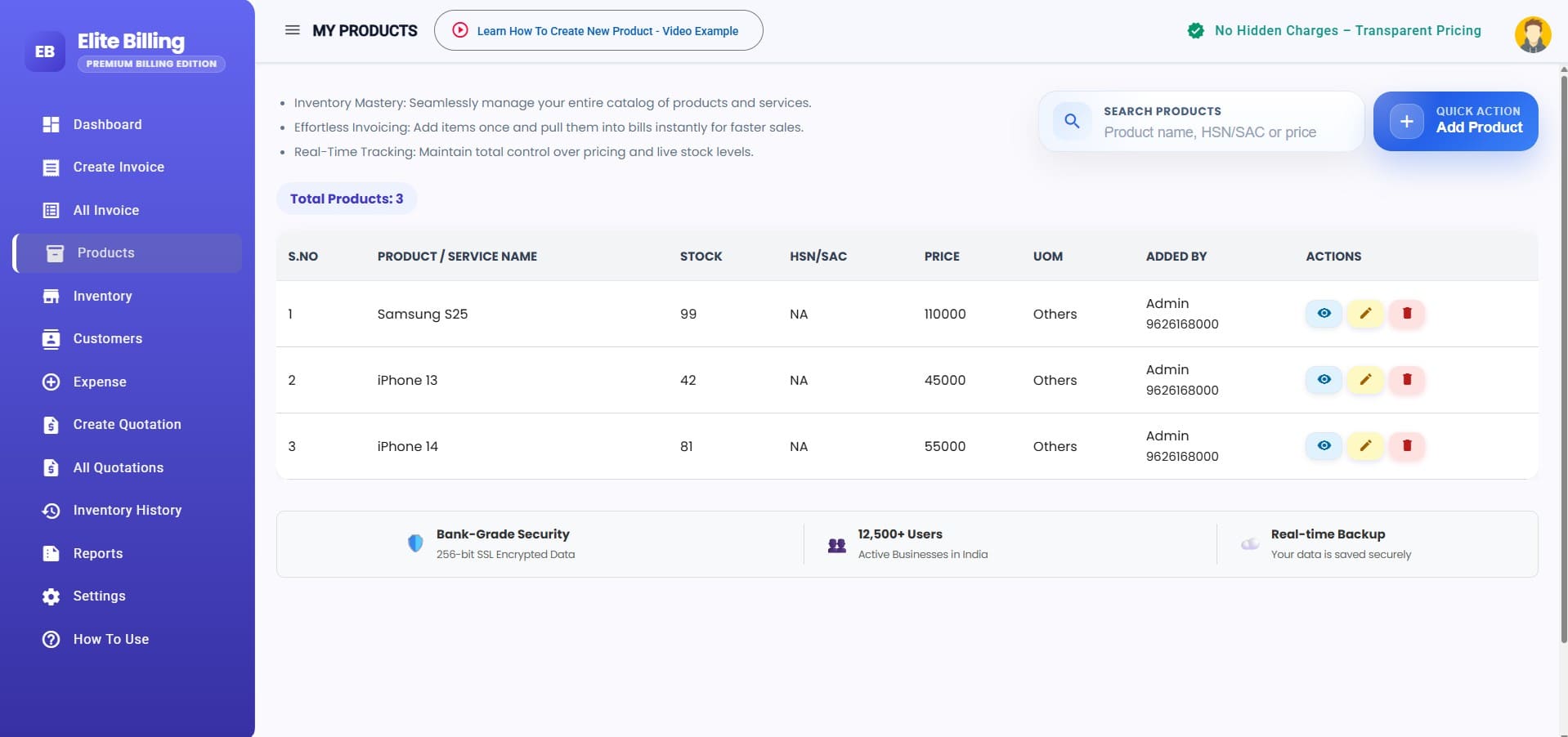
A feature list cannot tell you whether a new system fits your billing counter. In a demo, try the tasks you perform repeatedly: add an item, record a purchase, create a GST invoice, apply a discount, check the stock movement, and review an outstanding balance. Also check printer output and the reports your accountant asks for.
How to move from QuickBooks without losing track of records
Switching software is a data project as much as a product decision. QuickBooks India access has ended, so a business should work from exports, reports or backups it already holds rather than assume the old account is still available.
- Collect what you already have: keep copies of available customer and supplier lists, item lists, invoices, expense records, tax reports, outstanding balances and financial reports. Store the originals separately.
- Agree on the opening position: reconcile customer dues, supplier balances, stock quantities, cash and bank balances with your accountant before entering them in a new system.
- Confirm what can be imported: Elite Billing documents Excel imports for customers, products and previous balances. Do not assume that every historic QuickBooks transaction or attachment can be converted automatically; ask the team about the specific files you have.
- Test with a small sample: check item codes, GST details, units, customer balances, invoice numbering and report totals before entering live transactions.
- Run a controlled cutover: choose a clear start date, preserve the old exports and compare key totals after the first billing cycle.
For a broader migration checklist, read how to move from manual invoicing to automated billing. The same principles—clean records, a verified opening balance and a short test period—help when changing from any accounting system.
When to choose Elite Billing—and when to evaluate further
Consider Elite Billing if your priority is GST billing, stock and purchase workflows, customer or supplier records, quotations, expenses and day-to-day reports, and you want unlimited usage without a software fee. It is especially relevant for a small Indian business that needs to replace a discontinued QuickBooks India account with a practical operational billing system.
Evaluate your accounting requirements first if QuickBooks was the system of record for bank-feed reconciliation, detailed ledgers, complex financial statements, multi-entity consolidation, project accounting, payroll or a specific accountant workflow. Compare those tasks against the product demo and get written confirmation for any must-have integration or report. A business may need a separate accounting workflow alongside billing software.
Before making a final choice, list your top five weekly tasks and ask the person who closes your books to review the migration plan. Our guide on choosing billing software in India has more questions to use during evaluation.
Frequently asked questions
Is QuickBooks available in India now?
No. Intuit retired its India QuickBooks products. New sign-ups ended in 2022, and the company says access to QuickBooks products in India ended in 2023. Other regional QuickBooks products have separate availability and terms.
What is the best QuickBooks alternative in India?
It depends on what you used QuickBooks for. Elite Billing is worth evaluating for GST invoicing, inventory, purchases, expenses and customer or supplier records with unlimited use in a free plan. If you need a full accounting ledger or connected banking workflow, verify those requirements before switching.
Does Elite Billing limit invoices or features in its free plan?
No. Plan 1 includes the complete feature set and unlimited usage, including invoices. It supports up to five employee accounts and is self-setup. Plan 2 adds live support at the same employee limit; Plan 3 adds live support and capacity for up to 25 employee accounts.
Can Elite Billing replace QuickBooks for accounting?
Elite Billing focuses on billing and business operations. It may fit businesses whose daily needs are GST invoices, stock, purchases, expenses and operational reports. Test any ledger, bank-feed, reconciliation or advanced accounting workflow that your team depends on before treating it as a complete replacement.
Can I move my old QuickBooks data to Elite Billing?
Elite Billing documents Excel imports for customers, products and previous balances. Direct conversion of all historical QuickBooks transactions is not promised, so ask the team to review your files before cutover. Keep verified exports and reports as a separate archive.
What is the difference between Elite Billing Plan 1, Plan 2 and Plan 3?
All three plans have the same core features and unlimited invoice usage. Plan 1 is lifetime free and supports up to five employee accounts without live support. Plan 2 adds live support and keeps the five-account limit. Plan 3 adds live support and supports up to 25 employee accounts.
Choose a replacement based on the work you need to keep doing
QuickBooks India’s retirement makes the current choice less about copying the old product name and more about protecting daily operations and financial records. Elite Billing is a strong option to test when GST billing, stock and everyday business workflows are the main need. If your team also needs deeper accounting controls, confirm those tasks in advance and plan the migration with your accountant.
Start billing with Elite Billing for free
Try Plan 1 with unlimited invoices and the full feature set. Add live support or more employee accounts only if your team needs them.
Start Using Elite Billing for Free View the product demo